


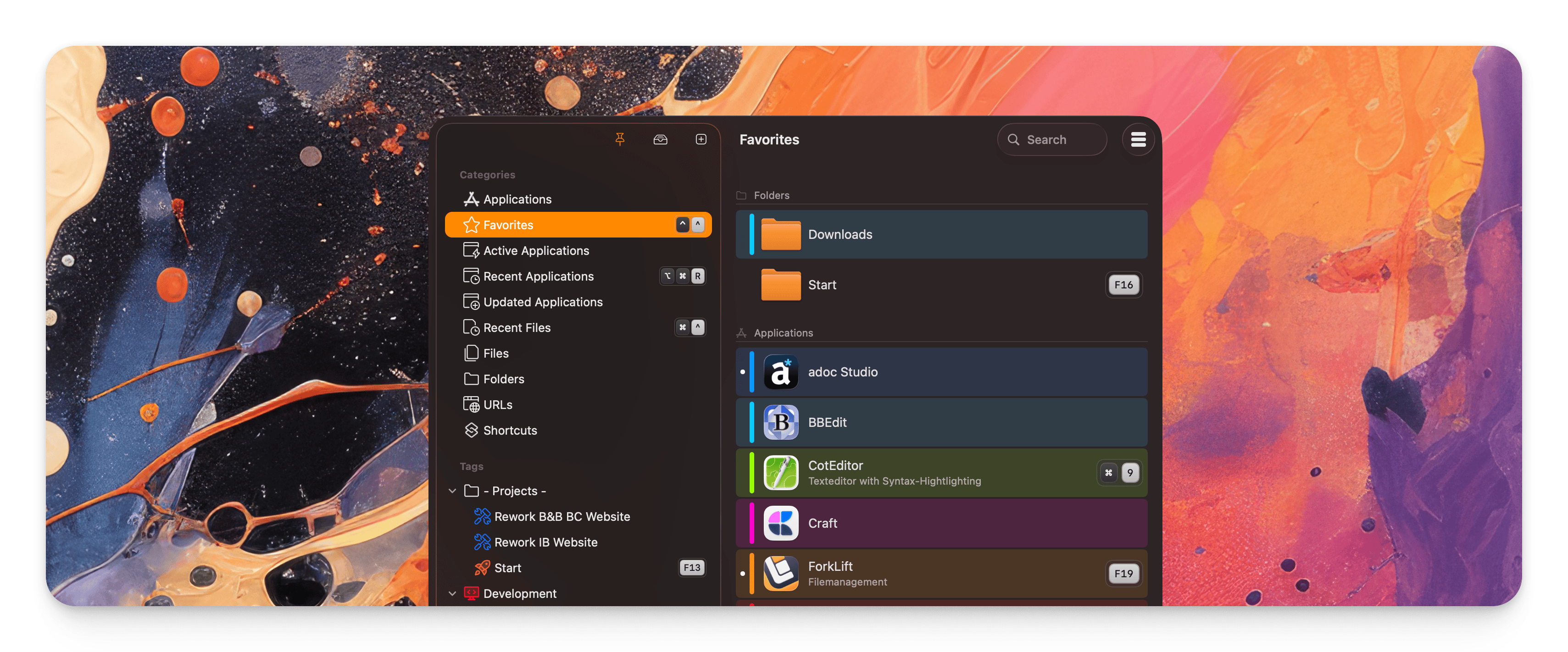
Start v9.2.0
Better URL-Handling, Smarter App Discovery, and a More Refined Experience
I’ve just released a new update for Start, bringing a collection of practical enhancements designed to make everyday workflows faster, more flexible, and more intuitive. While this release includes many improvements across the app, two additions stand out in particular: the revamped URL dialog and the new “Updated Apps” category.
Both features are built around a simple idea: reducing friction in moments that happen all the time. Whether you are opening links in different browsers or trying to find a recently installed or updated app, Start now helps you get there more directly.
A more powerful URL dialog
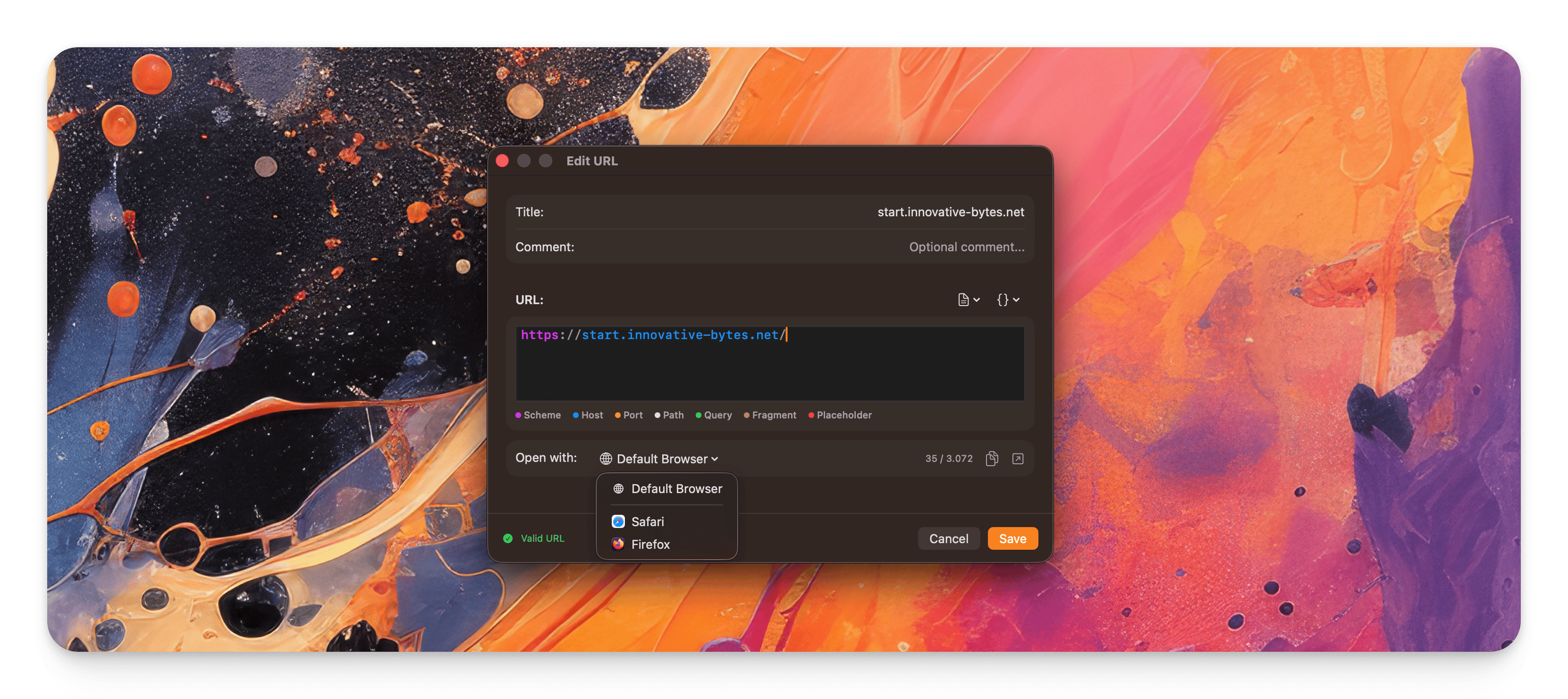
Opening URLs is one of those actions that sounds simple on paper but can become surprisingly nuanced in real-world use. Sometimes you want a link to open in your default browser. Sometimes you need it in another browser for testing, work, or privacy reasons.
That is why the URL dialog in Start has been completely reworked. For HTTP and HTTPS URLs, Start now allows you to choose an alternative browser instead of always relying on the system default. This gives you much more control how you open a link.
Meet the new “Updated Apps” category
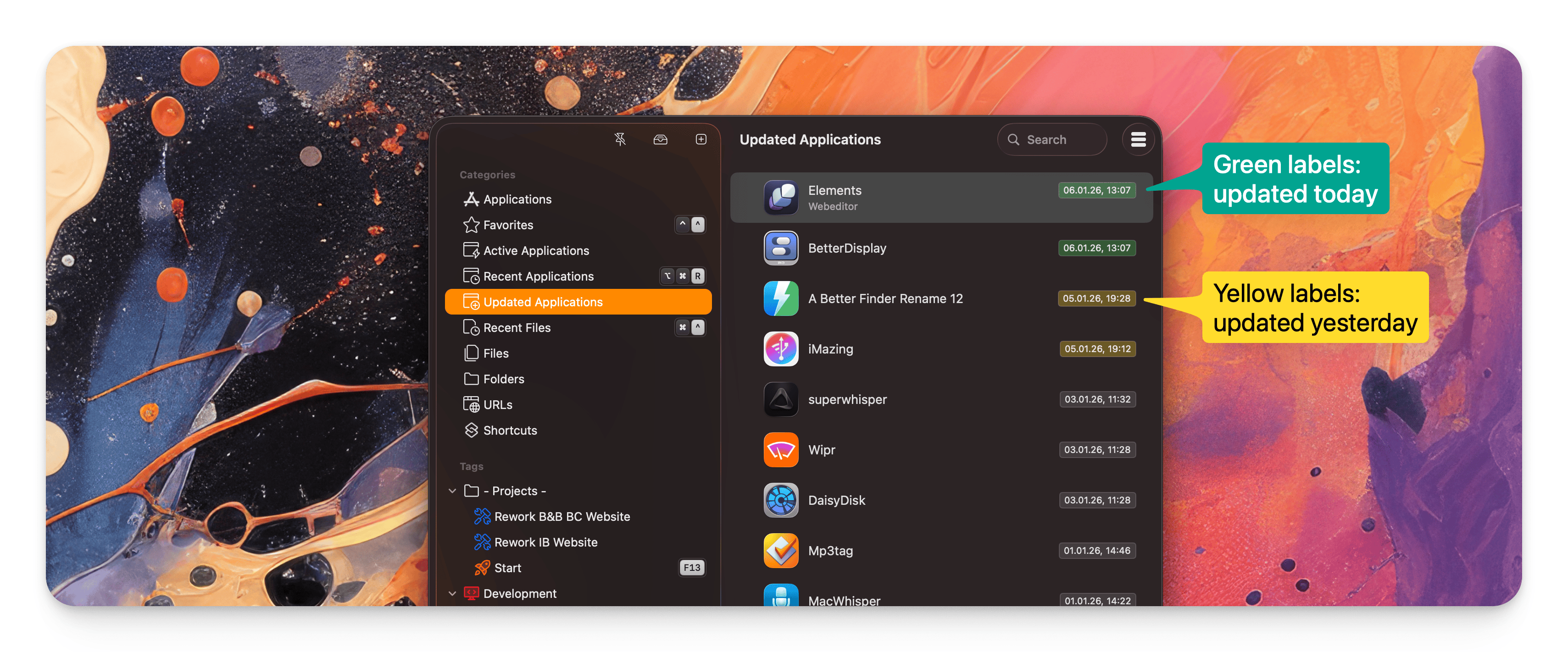
The second highlight of this update is the introduction of the new “Updated Apps” category.
Start now displays the last 25 updated and newly installed apps in chronological order, making it much easier to spot recent changes on your Mac at a glance.
Why this matters
Over time, Macs accumulate a lot of apps — some used daily, some only occasionally. When an app gets updated or a new one is installed, it is often relevant in that moment, but surprisingly easy to lose track of later.
- Maybe you just installed a utility and want to launch it again.
- Maybe an app updated in the background and you want to check what changed.
- Maybe you simply want a quick overview of what is new on your system.
The new “Updated Apps” category gives you exactly that: a focused, chronological view of recent app activity.
Under-the-hood improvements you will notice
This update is not only about new features — it also improves how Start feels in day-to-day use:
- A refined presentation of hotkeys to make them easier to read
- An optimized the menu structure with better sectioning
- Improved the behavior of the arrow keys, and made switching between the left and right panes with the Tab key more reliable.
On top of that, the release includes numerous stability and performance improvements. These kinds of changes are often less visible than major new features, but they are essential for making the app feel dependable, responsive, and pleasant over time.
I hope you enjoy the new release — and as always, thank you for using Start.