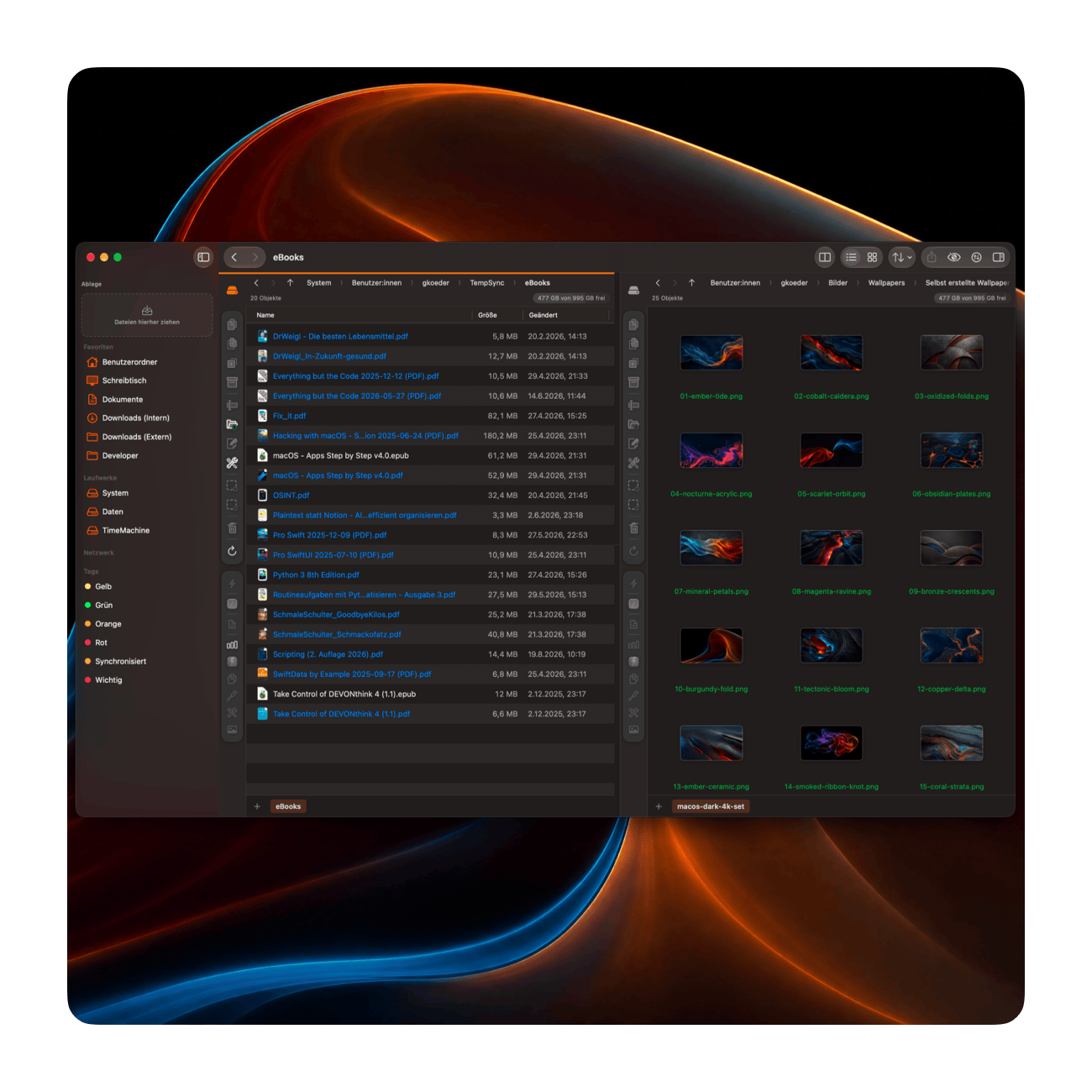
One keystroke.

Anything on your Mac.

Start is a fast, private launcher and organizer for macOS.

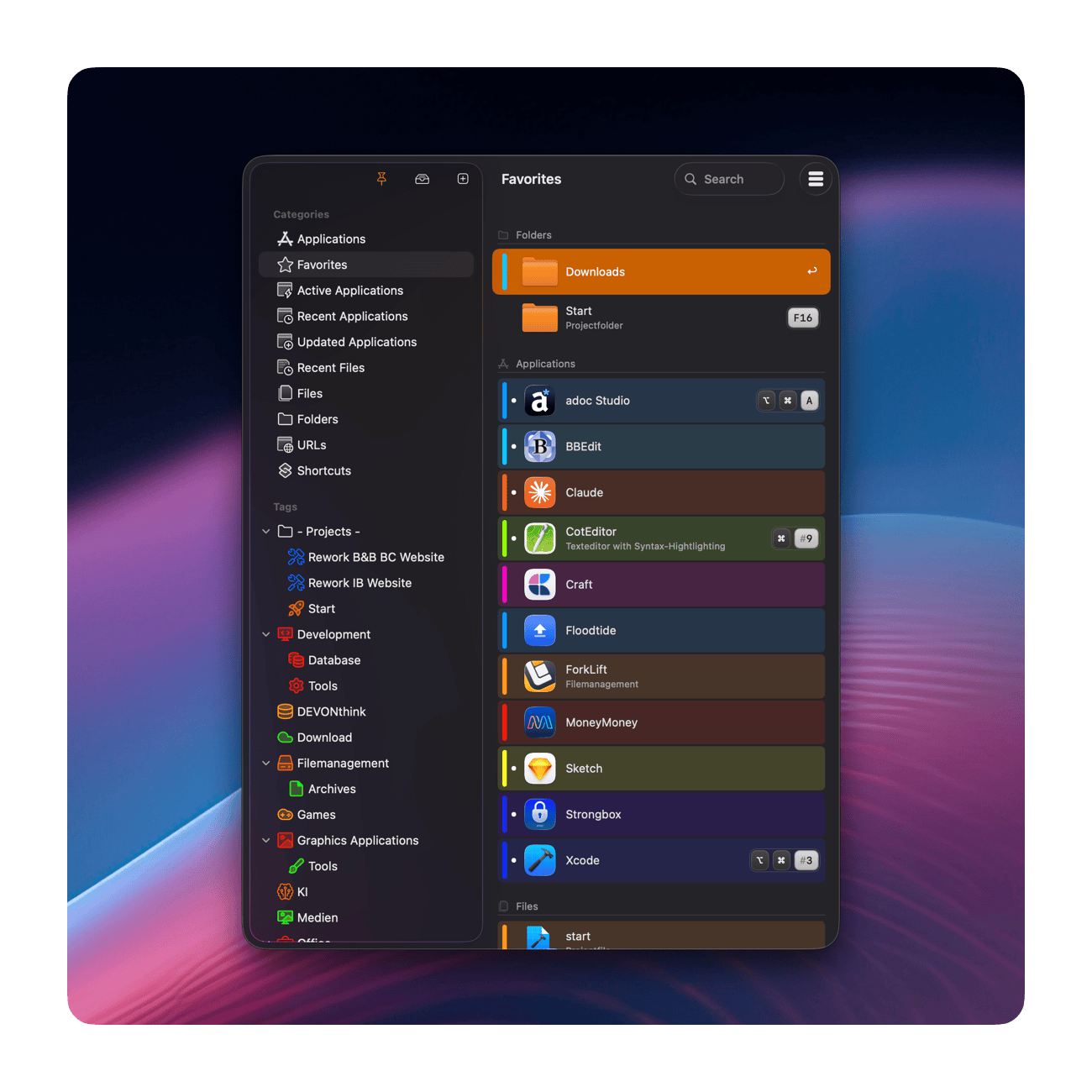
Apps, files, folders, websites and shortcuts — kept in one place and opened the moment you need them. Start collects your applications by itself. You add the rest.

Your Dock is full?

Your Applications folder is a wall of icons?

Start pulls every application on your Mac out of Spotlight automatically — no setup, no list to maintain. Add the files, folders and links you actually use, sort them with tags, and reach any of them without lifting your hands from the keyboard.

Launch it before you've finished looking for it

Give any entry its own system-wide hotkey — an app, a document, a folder, a link. One keystroke opens it, even when Start's window is nowhere in sight.
Forgotten which key you picked? Start keeps a live overview of every shortcut you have assigned.

New in V10

Your screen corners do the work

Move the pointer into a corner and Start opens whatever you put there — no window, no keystroke, no click.
Only four corners? Hold ⌘, ⌥ or ⌃ on the way in and the same corner does something else entirely.

Tag it once. Launch the whole set.

Everything a task needs under one tag — the apps, the documents, the links. Give that tag a hotkey and your entire working environment opens with a single press.
Nest tags like folders, give them their own icons and colors, and drop new entries straight onto them.

The file you worked on five minutes ago

Start watches the folders you choose and keeps the last 15 days within reach. ⌘1 to ⌘9 open the most recent nine without touching the mouse.
You decide which folders count — and which extensions, paths and names stay out of the list.

Your data never leaves your Mac

No account to create, no cloud to trust, nothing to opt out of. Start is a tool you buy once and run — not a service that watches you work.

Everything stays local.

Your configuration lives on your device — there is no cloud back end and no user account.

Nothing is collected.

Start does not collect analytics, create user profiles, or upload your configuration to a cloud service.

Protected by the macOS sandbox.

Start can access only the folders you explicitly allow — and shows you exactly which ones it holds.

Notarized by Apple.

Every release is checked by Apple for known malicious software before distribution.

Release Notes

v10.0

Start v10.0

This update is all about speed, polish — and putting powerful shortcuts right at the corners of your screen.

New

Active Corners — turn the edges of your screen into launchpads. Think macOS Hot Corners, but for anything you want. Flick your mouse into the bottom-left to summon Start's main window. Send it to the top-right to launch a specific app — and, if you like, only while you hold the Option key. Apps, files, folders, Start actions: anything can live in a corner, ready the instant you reach for it. Every corner gets its own dwell time, and on a multi-display setup only the true outer corners respond — no accidental triggers where two screens meet.

Your apps, tagged automatically. Start can now read the App Store category of every application and turn it into a tag for you. You decide whether to tag your whole library or only the apps that don't have a tag yet — either way, your library practically organizes itself.

Redesigned popovers. Every popover menu has been rebuilt from the ground up: cleaner, faster, and more refined.

An all-new Settings experience. Settings have been completely overhauled to match the modern macOS look and feel — so everything feels right at home. There's also a new place to review the folder permissions you have granted Start, and to add or revoke them whenever you like.

A clearer keyboard shortcut overview. The overview now has a dedicated tab for your configured Active Corners, and its layout is easier to scan throughout.

Refreshed category icons. Redrawn from scratch for a crisper, more modern look.

The user guide now speaks German, too. Start ships with the manual in both English and German.

Improved

Faster launch. Saved previews are no longer loaded all at once when Start starts up — they appear as you scroll instead. Launch time no longer depends on how many previews you have collected.

Smoother scrolling. Icons and previews are now created away from the main thread, so long lists stay fluid while the images fill in.

Smarter favicons. Start now fetches only the icon it actually needs instead of every variant a site offers, with sensible size and time limits.

Lighter on memory. Start now uses significantly less memory while it sits quietly in your menu bar all day long — and hands memory back automatically when the system needs it.

Kinder to your battery. Noticeably fewer background wake-ups throughout.

No more waiting. The folder view, "Import from Shortcuts" and "Refresh Data" no longer block the interface — and search and filtering stay responsive even when a network volume is unreachable.

Fixed

  • Deleted entries and tags could reappear after a restart
  • Folder permissions for network volumes could be lost for good if Start launched while the share was disconnected
  • After a failed import or export, the configuration menu and several windows stayed locked until the next restart
  • Recent files did not re-sort when a file that was already listed got opened again
  • The "last used" time of applications was skewed whenever other apps were launched or quit
  • Newly installed applications could be missing from the list
  • Mounted and unmounted volumes, as well as system sleep, went unnoticed
  • The main window closed again immediately when the pointer stayed in the corner
  • The same combination of corner and modifier key could be assigned twice
  • Active Corners could fire more than one action at a time
  • Several appearance glitches in light and dark mode
  • An error when loading high-resolution previews

Other Changes

French localization removed. As of v10.0, Start no longer ships in French. As a solo developer who doesn't speak the language, I couldn't confidently stand behind an AI-generated translation — and I'd rather invest that time in new features and making Start better for everyone. Thank you for understanding.

Thank you for using Start. As always, your feedback shapes what comes next.

v9.3

Start v9.3

New

  • Optimized behavior when opening applications: The behavior when opening applications has been improved in Start 9.3. If the desired application is not already open, it will be launched as before. If it is already open but in the background, it will now automatically be brought to the foreground. New is the behavior when the application is already open and currently in the foreground: in this case, it will now be hidden. This is especially useful if you open applications in Start using a keyboard shortcut: with the shortcut, you can now not only launch an application or bring it to the foreground, but also quickly hide it again by pressing the shortcut a second time. If you prefer the previous behavior, that is of course still possible: in the settings, you can disable the new opening behavior at any time.

Improved

  • Internal processes have been optimized so that Start uses fewer resources.

Bugfixes

  • In some cases, Start was unable to open folders even though the necessary permissions were present.

Stop looking for your apps.
Start opening them.

Buy it once on the App Store, or use it as part of your Setapp subscription.

Prefer to look first? The free trial is the full version, 60 minutes per session.

Download Trial-Version